
Download GPScom Server App - GPS Tracking for iOS & Android
Your GPS tracker is ready in minutes.
Download the free GPScom Server app, sign in with Google or Apple and add your GPS tracker by scanning the activation sticker on the device's box.
GPScom Server · Mobile app
Add your device in a few simple steps
No need to enter IMEI or serial numbers. Follow the steps below in the GPScom Server app.
-
Download the app
Install GPScom Server from the App Store or Google Play.
-
Sign in to your account
Open the app and sign in with your Google or Apple account.
-
Open Devices
Select the devices section from the main menu.
Menu > Devices -
Tap the + icon
On the Devices screen, tap + in the top-right corner to add a device.
-
Scan the sticker
Use your phone's camera to scan the activation sticker on your GPS tracker's box.
-
Your device is ready!
The tracker is added to your account, and you can start using the features of GPScom Server.
One scan and you're ready.
Go to Menu > Devices, tap + in the top-right corner and scan the activation code.
The activation sticker is on the GPS tracker's box you received.
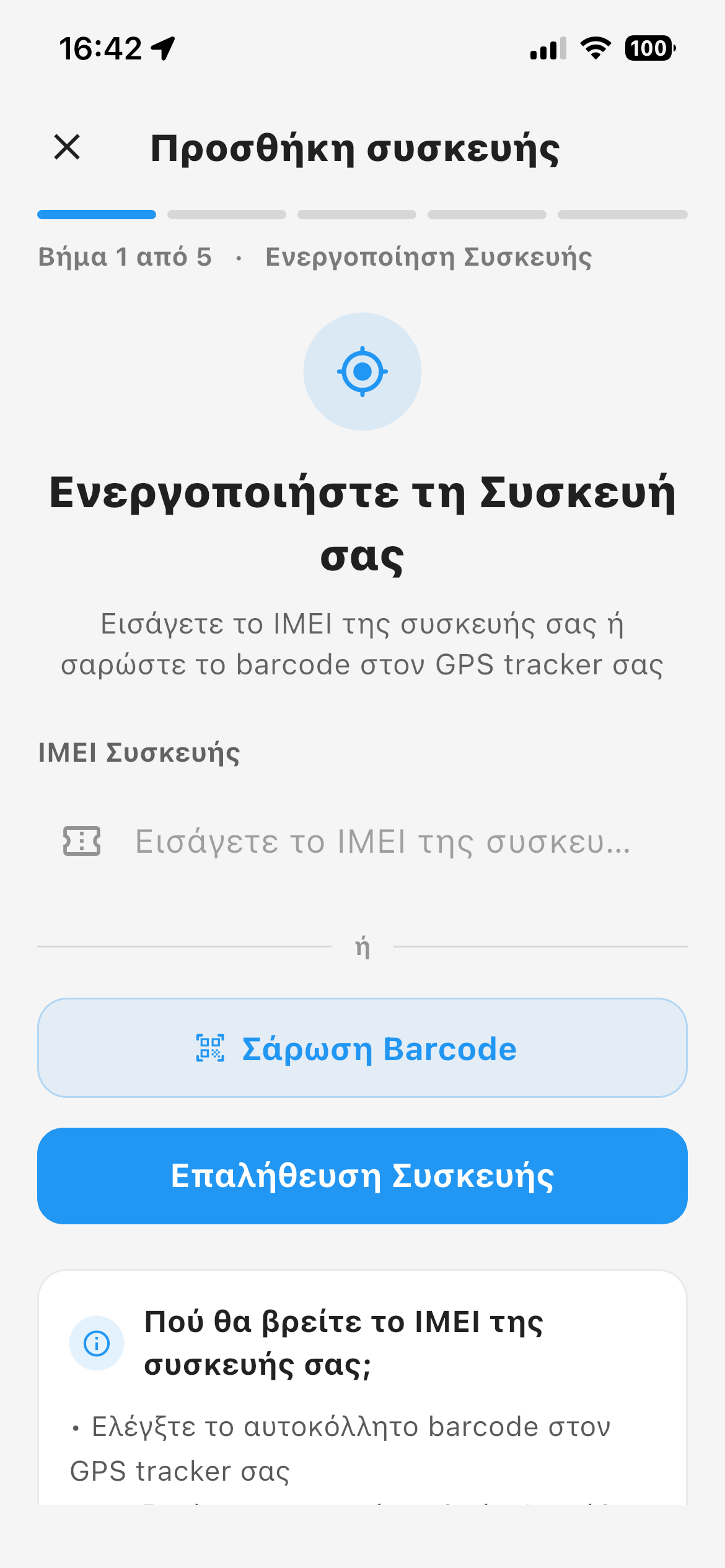
Scan & activate your device
It's that simple.
Download GPScom Server now
Install the app, add your GPS tracker and access your devices from your phone.
