Sign in to a platform
English EN

Your wishlist is empty
Your comparison list is empty
Your cart is empty
When should I buy an external 4G/LTE antenna?
Two of the questions we are asked most often about 5G/4G antennas are:
1. "When do I need to put an external antenna on my router?"
2. "Which external antenna should I choose?"
When your operator's base station is a long way from your premises, the signal reaching the router is weak. In that situation an external 4G/5G antenna is all but essential if you want better performance and better speeds.
This article explains which signal parameters to check on your 4G router, so you can work out for yourself whether you need an external antenna and how much your connection could improve.
 Haven't bought a 4G router yet?
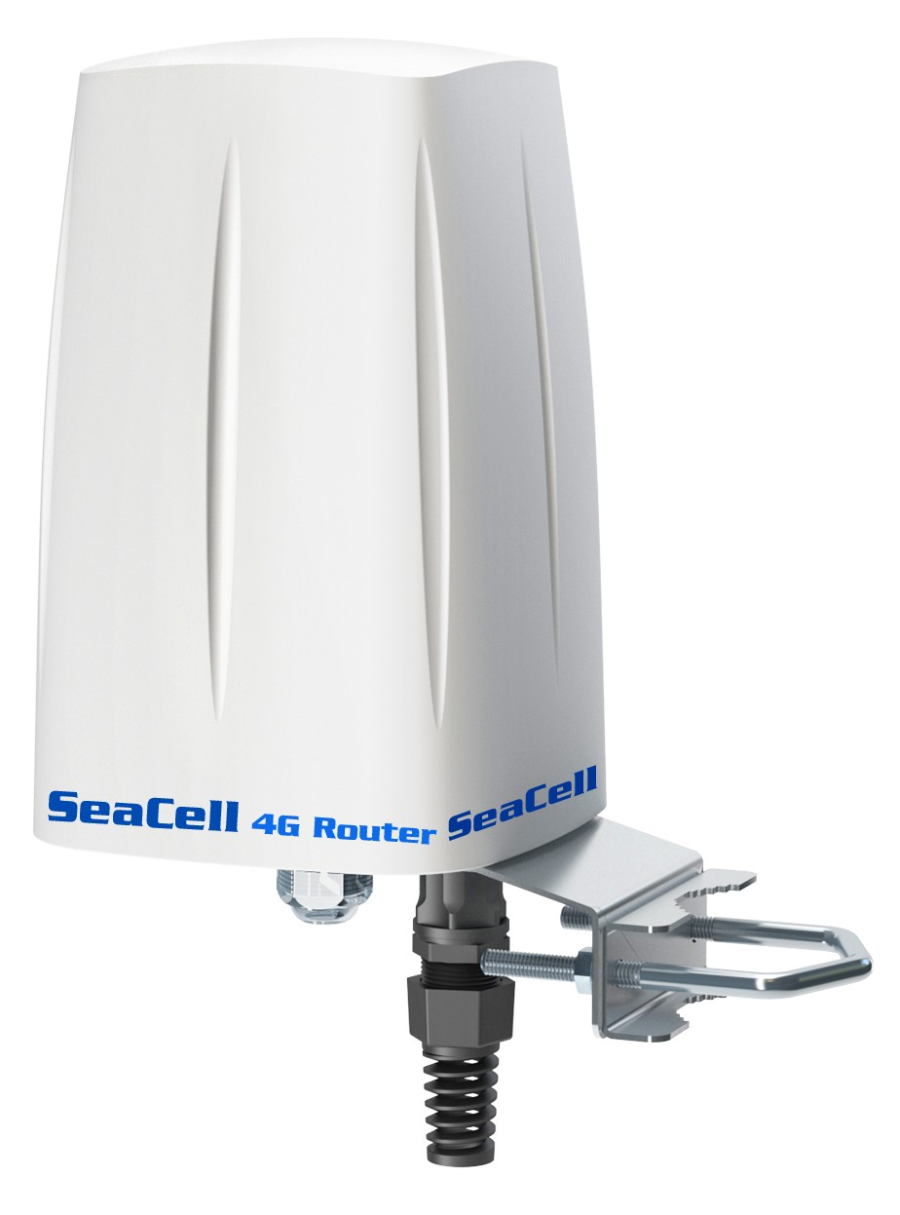
If you would rather avoid the whole business of mounting external antennas and running cable, you can start with an outdoor 4G/5G router that combines router and antennas in one unit (an all-in-one solution), and have a strong, stable 4G/5G connection from the outset.
The main benefits:
- No signal lost in cable — you get the 4G signal cleanly and directly, at full speed, inside your house or on your boat.
- Load balancing and dual SIM — 4G speeds of up to 600 Mbps by combining the throughput of two SIM cards.
- Powered over PoE (no 230V socket needed where it is mounted).
- Built-in omnidirectional antennas (ideal in town or at sea).
- IP67 weatherproof rating, suitable for outdoor use.
- All-in-one — a much simpler installation.
- European-built, with a two-year warranty.
Before deciding to buy a 4G/LTE external antenna, it is worth checking the LTE signal parameters your router is actually receiving.
To do that, open the network diagnostics page available in every router's management interface and compare its readings against the figures below.
- Better than -79 dBm → Very good signal strength
- From -80 dBm to -90 dBm → Good signal strength
- From -91 dBm to -100 dBm → Low signal strength — you need an external antenna, or to move the router.
- Worse than -100 dBm → Very low signal strength — an external antenna is effectively essential.
- Better than -9 dB → Very good quality
- From -10 dB to -15 dB → Good quality
- From -16 dB to -20 dB → Weak — you need an external antenna, or to move the router.
- Worse than -20 dB → Very weak — an external antenna is essential.
- Better than 21 dB → Very good
- From 13 dB to 20 dB → Good
- From 0 dB to 12 dB → Weak — you need an external antenna, or to move the router.
- Below 0 dB → Very weak — an external antenna is essential.
- Better than -73 dBm → Very good
- From -75 dBm to -85 dBm → Good
- From -87 dBm to -93 dBm → Weak — you need an external antenna, or to move the router.
- Worse than -95 dBm → Very weak — an external antenna is effectively essential.
In a 4G/5G installation, the right antenna is decisive for signal stability, for download and upload speeds and for the overall quality of the connection. There are two main categories: omnidirectional and directional antennas.
Below we set out the differences in plain terms, along with when each is the better answer, so you can choose correctly for your own site.
Omnidirectional antennas
 Omnidirectional antennas receive and transmit in every direction (360° around the antenna). The aim is coverage that is as even as possible.
- 360° coverage: Ideal when you do not know exactly where the operator's antenna is, or when there are several cells around you.
- Stable while moving: Recommended for boats, vehicles and motorhomes and generally wherever the direction keeps changing.
- A good choice in built-up areas: Where the signal is reflected and scattered by buildings.
- Usually lower gain than an equivalent directional antenna, but far more forgiving of imperfect placement.
Typical use: Built-up areas, blocks of flats, boats — anywhere the direction to the operator's antenna is not fixed or not known precisely.
Directional antennas
Directional antennas "look" one way, concentrating the signal energy into a narrower beam and delivering higher gain. 
- Higher gain: Ideal over long distances or in areas where the signal is marginal.
- Targeted reception: Used when you know where the base station (BTS) is and can align the antenna properly.
- A better signal-to-noise ratio: They filter out more interference from other directions, which helps your RSRP/RSRQ/SINR.
- figures. They need a more careful installation:
Aim them wrongly and performance can fall away sharply. Typical use:
Rural areas, isolated buildings, industrial sites — installations where the operator's antenna is known and there is a clear line to it.
- Which antenna is right for you?If you are in a town
, with plenty of reflections and an unknown or changing signal direction: – an omnidirectional antenna - is usually preferable (especially if the router moves around). If you are in a village, in the mountains or somewhere remote
and you know where the base station is: – choose a directional antenna - and align it properly for maximum gain.On boats and vehicles
, where the direction is constantly changing: – omnidirectional
antennas are all but the only option. Ideally, pair your choice of antenna with real RSRP, RSRQ, SINR and RSSI
readings from your own 4G/5G router, so you know whether you simply need a better signal or targeted gain in one particular direction.
MIMO (Multiple Input – Multiple Output) MIMO is the technology every modern 4G/5G router uses to raise both the speed and the stability of the connection. Instead of a single antenna, LTE/5G systems work with.
Twice the signal, twice the speed
What does that mean for you in practice? For MIMO to work properly your router needs two independent antennas
- , or one purpose-built antenna containing two MIMO elements. Fit only one antenna and the router loses its second channel, which means:
- lower download and upload speeds,
- less stable signal, and no way to reach the normal.
LTE/5G throughput
- How is MIMO installed correctly?
With two external directional antennas: – the first is mounted
vertically (vertical polarisation) – the second is mounted
horizontally (horizontal polarisation)
– and they must be at least 40 cm apart. - The router then receives two independent signal polarisations.
With two omnidirectional antennas:
– mounted a set distance apart. - – giving two independent receive channels for MIMO operation. With a single cross-polarised MIMO antenna
(X-Pol / ±45°),
which already has both elements built into the one unit.
What does MIMO gain you?
- Using two antennas instead of one gives the router two independent signal paths:
- twice the throughput in good conditions, much better SINR
- (less noise and interference), greater stability
- in environments full of reflections (towns, harbours, industrial sites),
and an improvement even at low RSRP, when the second channel rescues data packets. Put simply:
Not sure which antenna you need?
- Send us the following and we will recommend the right solution for your site:
- Your 4G/5G router model
- The mobile operator you use
- The area or address where it will be installed RSRP, RSRQ, SINR and RSSI values
With that information, the technical team at GPScom Technologies will recommend the right type of antenna (omnidirectional or directional), the MIMO arrangement and the connection accessories you need.
GPS Tracking Solutions
- All GPS Tracking Solutions
- GPS Tracking for Boats & Jet Ski
- GPS Tracking for Construction Machinery
- GPS Tracking for Corporate Fleets
- GPS Tracking for Agricultural Machinery
- GPS Tracking for Rental Vehicles
- GPS Tracking for Transport & Logistics
- GPS Tracking for Refrigerated Trucks & Cold Chain
- GPS Tracking for Commercial Vans & Deliveries
Information
- Authorised Dealer of TELTONIKA Telematics
- Authorised Dealer of MOTOROLA Solutions
- Authorised Dealer of STELLADORADUS
- Authorised Dealer of KIRISUN
- Store address
- Manufacturers
- Contact us
- About the company
- Blog

Useful
© 2001-2026 GPScom Technologies · Commercial Reg. (GEMI) No. 180170606000