
SMA Female to TS9 Male Pigtail Cable
The connection you need to bring an external antenna to your compatible modem or router.
Give your antenna the right connection
This SMA Female to TS9 Male pigtail connects antennas or antenna cables fitted with an SMA Male connector to devices with a TS9 Female external antenna port.
It is a practical choice when you want to use an external cellular antenna and gain more flexibility in where you position your antenna and device.
With a suitable antenna and correct installation, you can make better use of the available cellular signal in homes, business premises and locations with challenging reception.
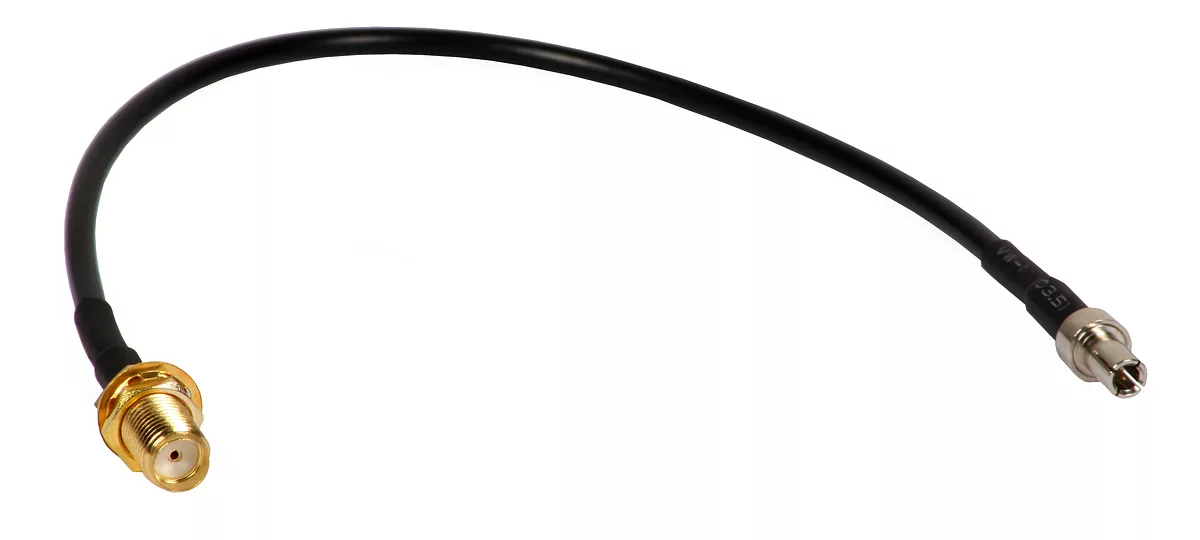
Connect an external antenna
Connect a suitable cellular antenna with an SMA Male connector to your device's TS9 antenna port.
Flexible installation
The pigtail format provides flexibility when making the connection. Support the antenna cable to avoid placing strain on the small TS9 port.
Multiple applications
A practical connection adapter for compatible USB modems, mobile hotspots and routers equipped with TS9 ports.
This pigtail provides the connection to an external antenna. Actual performance depends on the antenna, operating frequencies, cable losses, installation position and mobile network. The adapter is not an active signal amplifier.
Connection specifications
| Product type | Antenna adapter cable / RF pigtail |
| Antenna-side connector | SMA Female |
| Device-side connector | TS9 Male |
| Required device port | TS9 Female external cellular antenna port |
| Required antenna / cable connector | SMA Male — standard SMA, not RP-SMA |
| TS9 connection method | Push-fit connection with careful alignment and gentle pressure |
Modern devices with TS9 antenna ports
The following is a selection of models with documented TS9 external antenna ports. Check your device's exact model number and hardware version before purchasing.
NETGEAR
- Nighthawk M3 — MH3150
- Nighthawk M5 — MR5200
- Nighthawk M6 — MR6150
- Nighthawk M6 — MR6110
- Nighthawk M6 Pro — MR6450
- Nighthawk M6 Pro — MR6500
- Nighthawk M6 Pro — MR6550
Zyxel
- NR5103EV2
- NR5103EV3
- NR5307
- NR5331
Where an INT/EXT selector is provided, select EXT to use external antennas, following the device manual.
ZTE
- G5 — version with TS9 ports
- G5 Pro — version with TS9 ports
- G5 Ultra — version with TS9 ports
Confirm that your specific version is equipped with external TS9 antenna ports.
Earlier models with documented TS9 connections
NETGEAR Nighthawk M1 — MR1100
ZTE MF93D
This list refers to connector compatibility. Operation on specific 4G/5G bands requires a suitable antenna and confirmation that the pigtail's frequency specifications cover those bands.
What to check before purchasing
TS9 or CRC9? Check the correct connector
TS9 and CRC9 connectors look similar but are not interchangeable. Confirm the antenna port type in your device manual. Never force a connector that does not fit correctly.
MIMO antennas may require multiple pigtails
Each pigtail connects one antenna cable to one TS9 port. A MIMO installation with two SMA antenna cables requires two matching pigtails. Four connections require four pigtails, provided that the device supports that configuration. Follow the manufacturer's antenna connection instructions.
Does the adapter improve the signal on its own?
Any improvement comes from choosing and positioning a suitable external antenna. The pigtail provides the required connection and does not guarantee a specific increase in signal strength or connection speed.
Not sure whether it fits your device?
Send GPScom your exact device model number and a clear photo of the antenna port so we can help identify the appropriate adapter type.
No posts found
